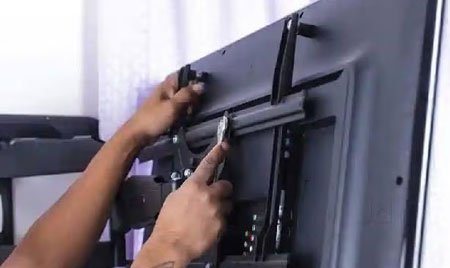
1. Fix the bracket
Secure the arms to the back of the TV using the correct screws and spacers for your model.
Everything you need to hang your television securely — the right bracket, the right height and the right fixings.
Gather these first so you are not stopping halfway. A second pair of hands makes lifting the TV onto the bracket much safer.
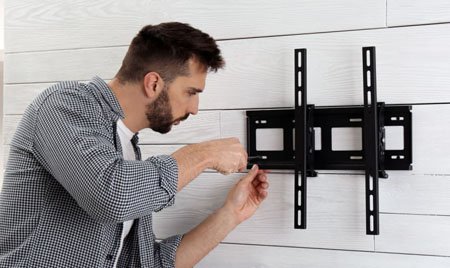
Take your time with each step. If you are ever unsure about your wall or the weight involved, it is always worth asking a professional.
VESA is the spacing (in millimetres) between the four mounting holes on the back of your TV, for example 200×200 or 400×400. Check that your chosen bracket supports both your VESA size and your TV's weight.
As a rule of thumb, the centre of the screen should sit around eye level when seated — often roughly 105–115 cm from the floor to the screen centre in a living room. Mark the spot lightly in pencil.
On a stud wall, use a stud finder to locate the timber or metal studs and mark their centres. On solid brick or concrete, plan to use the correct heavy-duty wall plugs. Never rely on plasterboard alone to hold a TV.
Hold the wall plate level, check it with your spirit level, and mark the holes. Drill to the depth and diameter your fixings require, being mindful of any hidden pipes or cables behind the wall.
Fit the wall plate with the supplied bolts or your rated fixings and tighten firmly. Give it a confident tug to be sure it does not move before you go any further.
Fasten the bracket arms to the back of the TV using the correct screws (and spacers if needed). With a helper, lift the TV and locate it onto the wall plate, then engage any safety catch or locking screw.
Fine-tune until the screen is perfectly level, then connect your HDMI and power cables and route them neatly through a cable cover or channel for a clean finish.
A quick visual walk-through of the main stages, from fixing the bracket to the finished result on the wall.
Secure the arms to the back of the TV using the correct screws and spacers for your model.
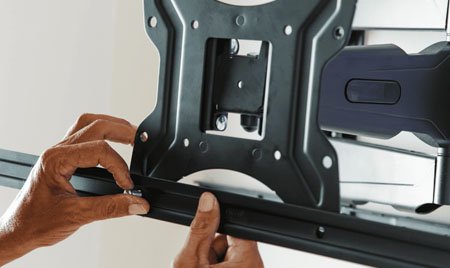
Line the bracket rail up with the fixed wall plate and engage the safety catch or locking screw.
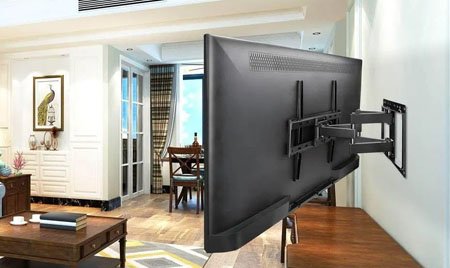
Fine-tune until level, tidy the cables, and your television is ready to watch.
Always use a bracket rated well above your television's weight, fix into solid structural points rather than plasterboard alone, and check for hidden pipes and wiring before drilling. If your wall type is unusual, the TV is very large, or you are not fully confident, please hire a qualified installer. UpkarHub provides general educational information only and is not responsible for individual installations — your TV and bracket instructions always take priority.
Lowest profile and easiest to fit. Best when you can mount at seated eye level.
Angles down to cut glare. Ideal when the TV sits a little above eye level.
Swivels and extends for corners and open-plan rooms. Needs strong fixings.
Useful in kitchens or commercial spaces where wall space is limited.